Meeting assistant explainer
How AI Meeting Assistants Work: Capture, Transcription, Notes, and Live Answers
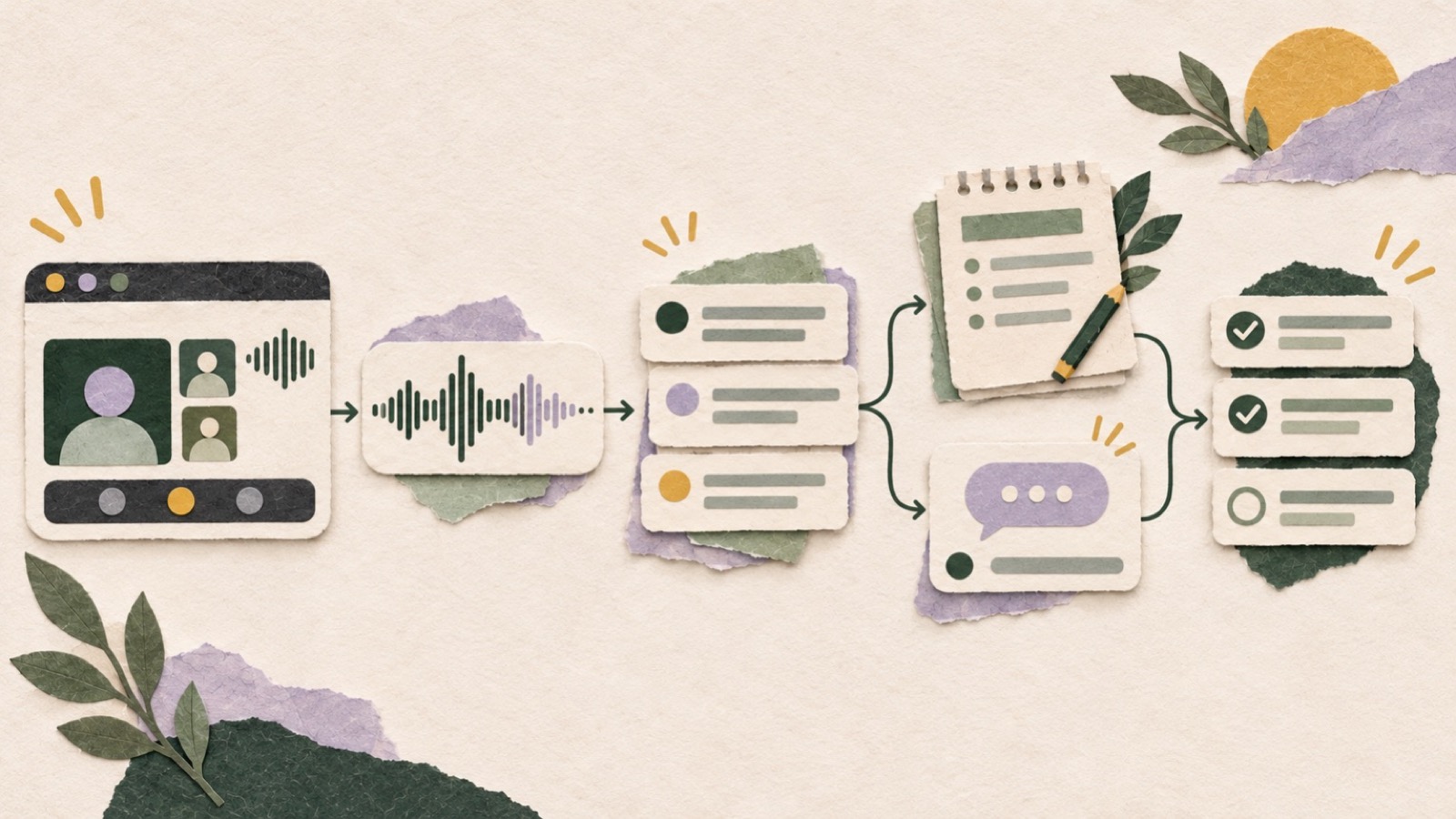
An AI meeting assistant is a pipeline, not one feature: it captures audio, turns speech into text, adds context, produces an output, and stores or exports that result. The capture step determines visibility and permissions; the output step determines whether you get a transcript, action items, searchable history or an answer while the call is still happening.
SleekMeeting publishes this explainer and is one of the products discussed. Product facts were checked against official sources on November 10, 2026.
Key takeaways
- Capture can be a cloud participant, native platform feature, extension, desktop app or shared browser audio.
- Transcription is a representation of speech, not a guarantee of speaker or factual accuracy.
- Notes and live answers are different outputs with different verification and privacy needs.
- SleekMeeting separates SleekAssist live help from SleekNote structured follow-up.
The five stages
1. Capture
The product receives meeting audio through a bot, native integration, extension, desktop recorder or browser share. Each route affects participant visibility, installation, platform coverage and policy.
2. Transcription
Speech recognition converts audio into text. Speaker labels, language selection, accents, crosstalk and poor microphones affect quality. A transcript should be reviewed before it becomes a customer commitment.
3. Context
The assistant may use the transcript, a document, a workspace history or a knowledge base. Context can make an answer more useful, but it can also expose information that should not be used in a meeting.
4. Generation
A model turns the transcript and context into a summary, action list, email draft, answer or report. The output is a draft unless the workflow includes a human review.
5. Storage and action
Finally, the result may be saved, searched, exported or sent to another system. Retention, sharing and deletion often matter more than the first transcript.
Capture choices compared
| Method | Visible participant? | Install? | Strength | Constraint |
|---|---|---|---|---|
| Cloud bot | Usually yes | No local app | Automatic attendance | Admission, consent and bot policy |
| Native platform | No separate bot | Usually no | Admin-controlled workflow | Platform and license lock-in |
| Extension/desktop | No bot | Yes | System-wide audio | Endpoint approval |
| Browser share | No bot | No extension | Deliberate selected-call capture | Shareable audio and cloud backend |
For the browser mechanics, read the audio capture guide.
Notes versus live answers
A notetaker optimizes for what happened: transcript, summary, decisions, owners and follow-up. A live assistant optimizes for what you need to say next: context, retrieval and a suggested answer. Some products offer both, but the capture mode, UI and verification burden remain different.
SleekAssist provides live transcript/contextual answers, optional manual screenshot analysis and one context document up to 10 MB. SleekNote creates notes, decisions, action items, summary and an editable email draft, with exports to Notion and Google Docs/Drive. The modes are separate and Note does not send email.
How to evaluate an assistant
- Write the exact meeting scenario: selected call, every call, client call, internal meeting or interview.
- Record who must know, who must approve and where data may travel.
- Test the capture path with headphones and remote plus local audio.
- Ask a known question and inspect the source, uncertainty and latency.
- Review storage, retention, exports, search and deletion before inviting a team.
For a browser-first decision, compare no-install assistants and live answer workflows.
Frequently asked questions
Do all assistants record audio?
No. Some process live audio without saving a recording; others store audio, video or transcripts. Check the product documentation.
Is an AI transcript the meeting record?
It is an aid. Correct names, commitments, dates and owners before sharing.
Can a browser assistant work without a bot?
Yes, through a native feature or direct browser audio sharing, but browser-based does not mean local-only.
Which SleekMeeting mode creates notes?
SleekNote. SleekAssist is the separate live-help mode.
Choose the stage you actually need
Try live help on one selected call or use a separate Note session for structured follow-up.
Try SleekMeeting freeOfficial sources and methodology
Browser capture and product behavior were checked November 10, 2026.